
03 Simple Steps to Activate Genealogy Management Software
03 STEPS TO ACTIVATE GENEALOGY MANAGEMENT SOFTWARE
Upon completing the initial installation, you will need to input your official product license key to unlock all features of the software.
Step 1: Receive the Activation Prompt
Upon launching the software for the first time, an activation dialog will prompt you to register. Click “OK” to proceed to the key input screen.
Step 2: Enter Registration Information and License Key
The license registration window will appear. Please fill in the required fields:
- Full Name of the registered user
- Contact phone number
- Email address
- Clan / Family Branch name
- License Key (Provided by AKB Software upon license purchase)
Note: An active Internet connection is required briefly to validate your license key with our central license server.
Step 3: Successful Activation Confirmation
After clicking “Activate”, the system will confirm “Product Activated Successfully”. You can now start creating your family tree and preserving your clan heritage forever.
AKB SOFTWARE

Contact Information
Address: Room 1210 - 1211, 12th Floor, Trinity Tower, 145 Ho Me Tri Street, Dai Mo Ward, Hanoi, Vietnam
Hotline: (+84 24) 3787 7529
Email: info@akb.com.vn | hotro@akb.com.vn
Website: https://www.akb.com.vn
RELATED NEWS
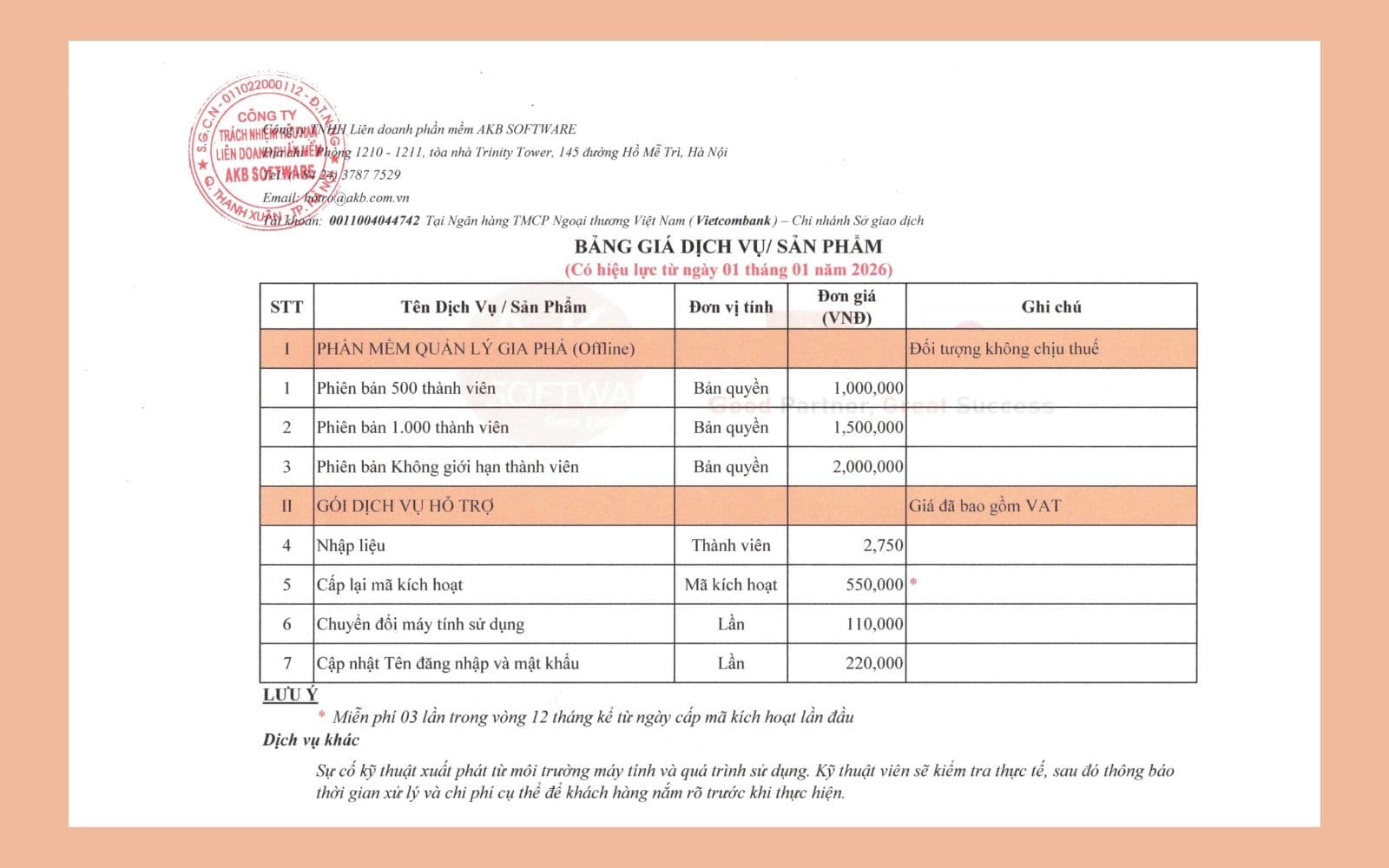
AKB Services & Software Solutions Price List 2026
Official quotation and service packages for software development, IT outsourcing, and digital transformation in 2026.

Guide: Password Recovery for Version 2.5.9.1
Step-by-step instructions for resetting and recovering your user account password in version 2.5.9.1.